
Paid collaboration with Tripo
Turn Your Character into a 3D Virtual Pet Game
The settings and requests I actually used, in order.

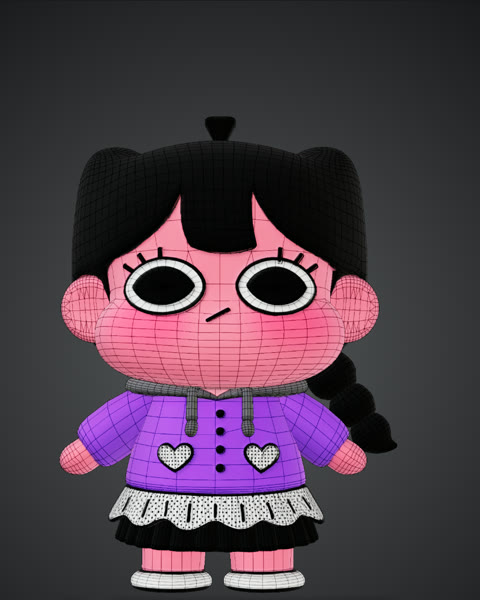
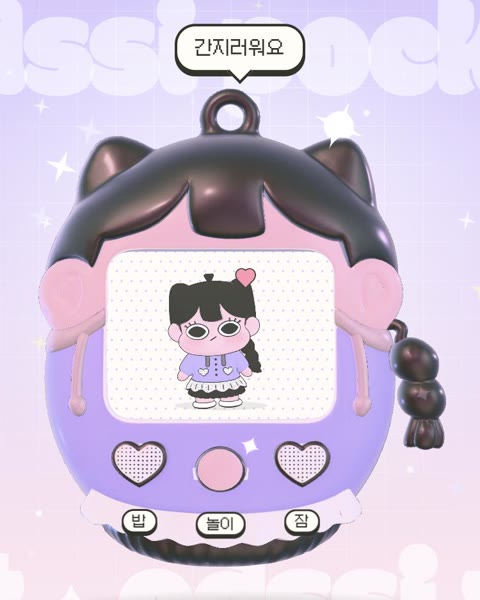
What you need
- Character image
- One front view is enough. Front, side and back views make it more accurate.
- Tripo account
- Sign up with the invite code for bonus credits.
- Claude Code
- Describe the game you want in plain words.
Steps
1Turn the character into 3D with Tripo
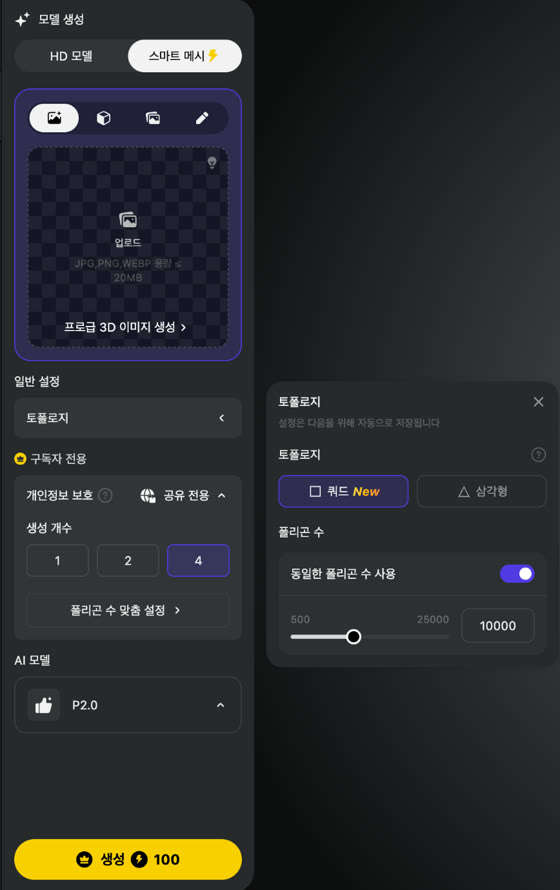
Open Smart Mesh in model generation. For several views of one character, fill the front, left, right and back slots under the second icon at the top.
- AI model
- P2.0
- Topology
- Quad
- Polygons I used
- 10,000
- Generate
- 4
Hit Generate and pick the best of the 4 candidates.
See the Tripo screens
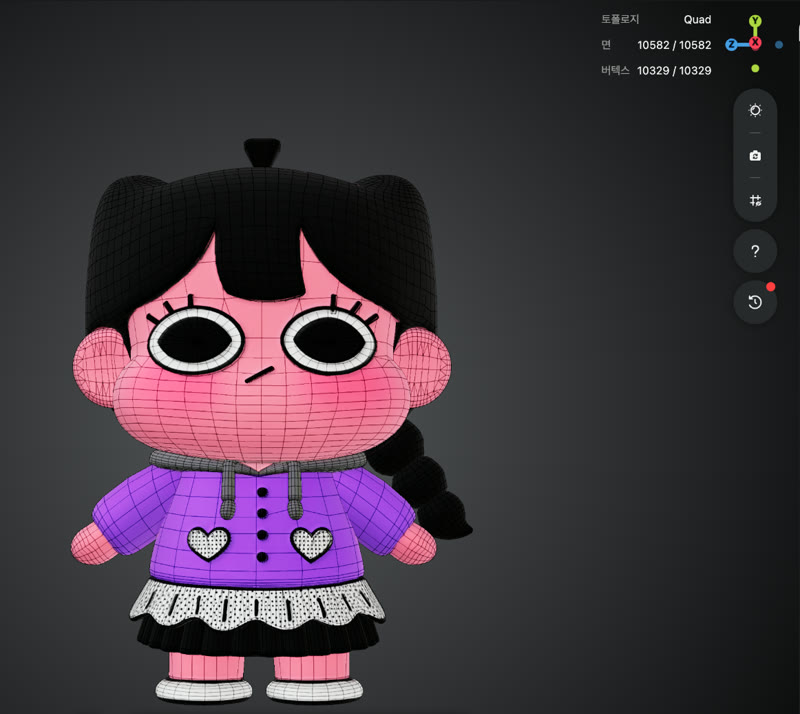
- Quad lays the surface out as a tidy grid of four-sided faces, a structure that is good for rigging and animation work.
- If one part looks off, you don't have to regenerate everything. You can select just that part and regenerate it.
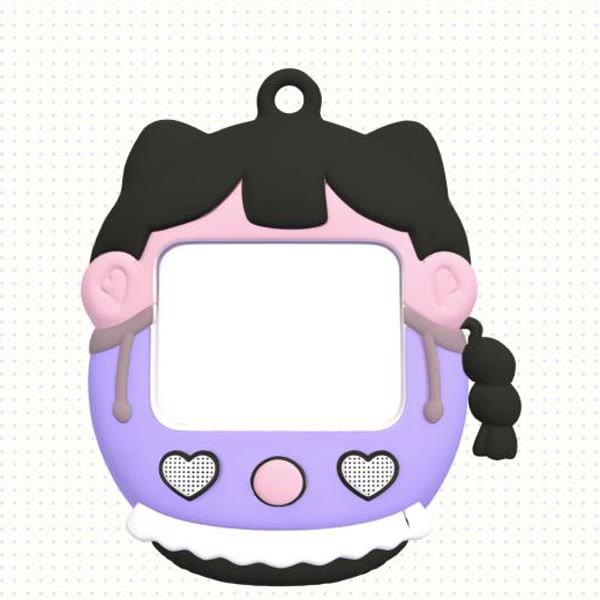
2Make the pet device in 3D too
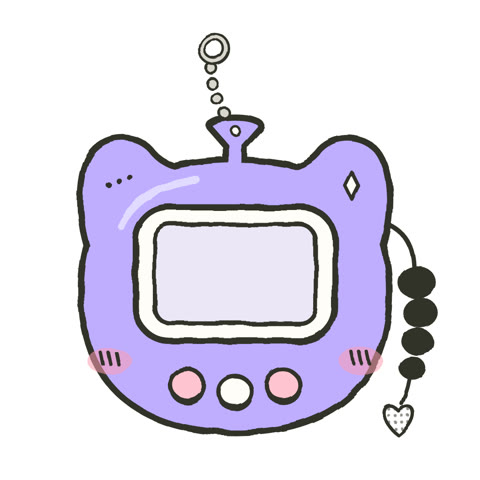
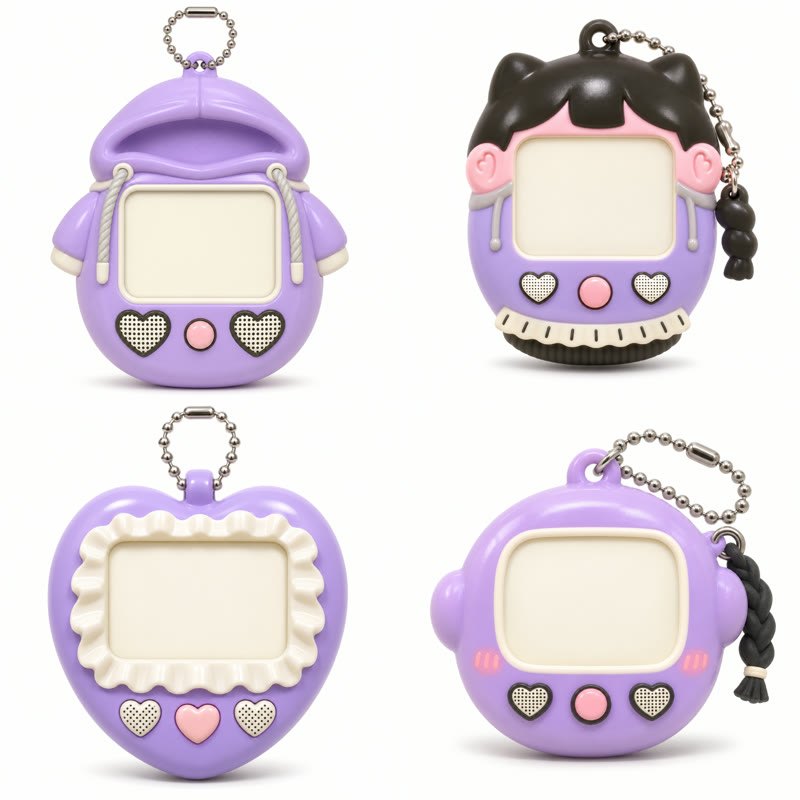
- I fed a rough flat sketch to an image generator and got 4 versions that look like toy photos
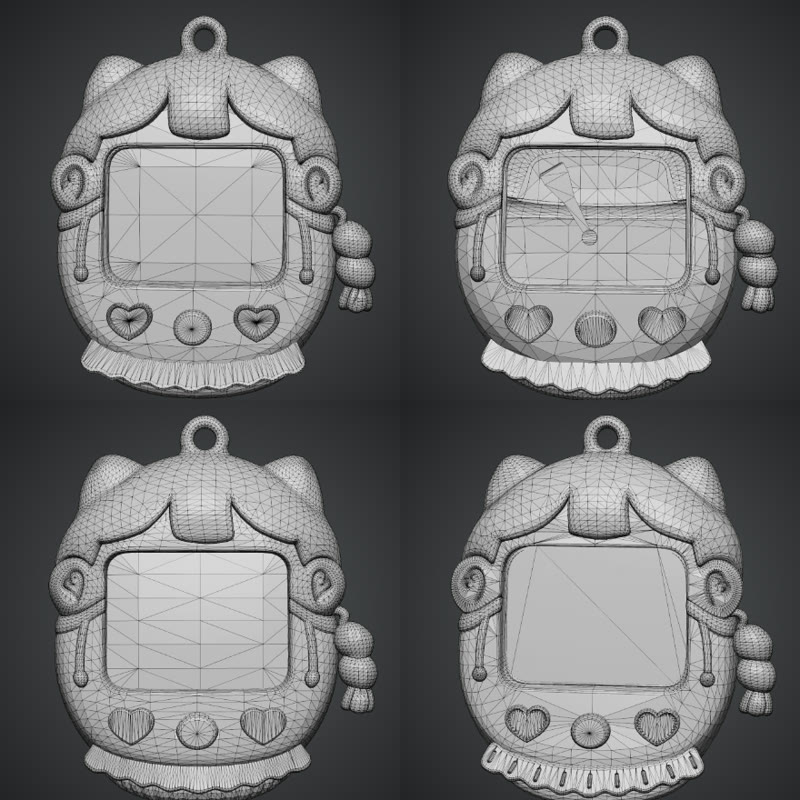
- Picked one, put it into Tripo and generated 4 at once
- Chose the cleanest one and added a texture
3Ask Claude to fix the colors
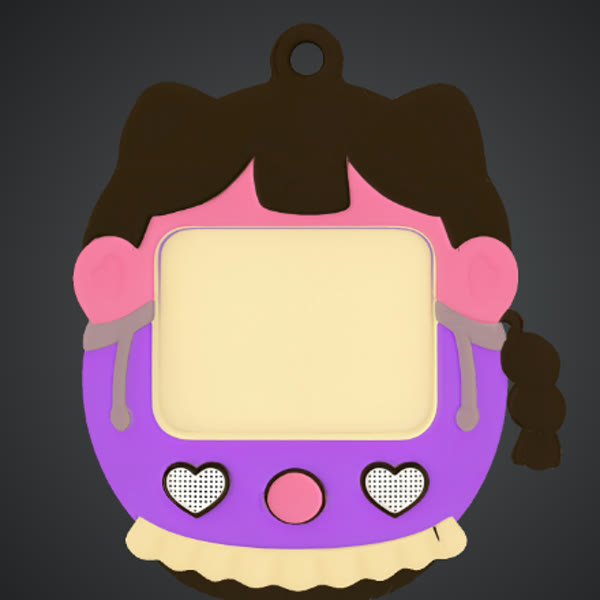
Tripo's default texture came out darker than my drawing. I asked Claude Code to change only the texture colors.
Swap the color codes for your own character's colors.
Color fix request
The texture from Tripo is much darker than my original drawing.
Change the purple to lilac (#BFADFF), the brown hair to ink black (#323329), the yellow screen to cream (#FFFDF8) and the deep pink to light pink (#FFC4D0), then put it back into the GLB.
4Export as GLB
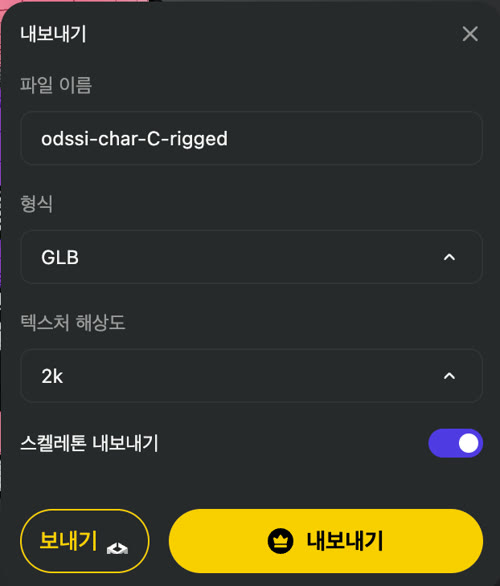
- Export under the result → format GLB
- For a web game, 2K texture resolution was plenty. Higher makes the file bigger and slower to load on phones.
- For a rigged character, turn on Export skeleton
5Build the game with Claude Code
I put the two GLB files (device and character) in a work folder and asked this.
Replace "odssi" with your character's name.
Request: build the game
Make a web virtual pet game with the pet device and odssi GLB files I got from Tripo. The three buttons on the device should feed, play and put her to sleep!
After that I fixed things one at a time in plain words, like "make her look sad when she's hungry."
6Rig in Tripo → add motion with Claude Code
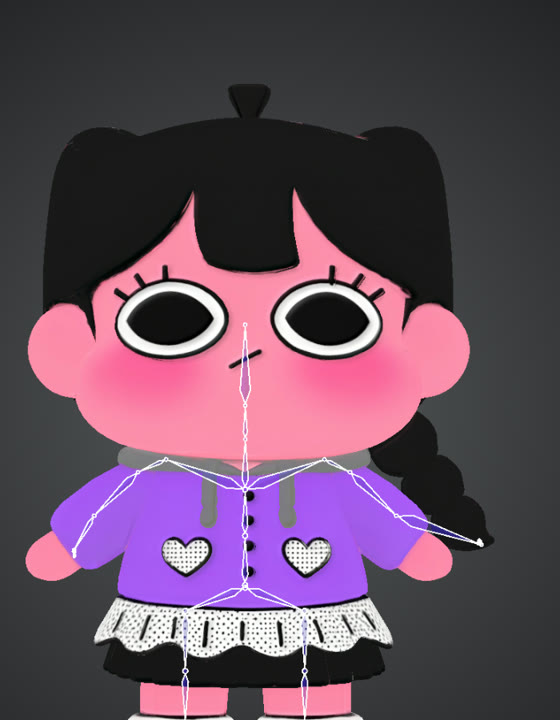
- Open the character in Tripo, go to Rigging → Humanoid to add a skeleton
- A T-pose or A-pose, with the arms away from the body, works best
- Export the rigged GLB again and ask Claude Code for motion
Request: add motion
I added the rigged odssi! Make her move for each button. Feeding is munch munch, playing is a hands-up jump, sleeping is eyes closed and a little nod!
7(Optional) Sign-in and going public
So that everyone can raise their own, I also had Claude Code add Google sign-in and saving (Cloudflare). If it's just for you, you can skip this step.
Tripo credits I used
Final pieces only: 280 credits
Credits by task
| Task | Credits |
|---|---|
| Character generation (Smart Mesh, 4 candidates) | 100 |
| Character texture | 30 |
| Character rigging (humanoid) | 20 |
| Device generation (Smart Mesh, 4 candidates) | 100 |
| Device texture | 30 |
| Total (final pieces only) | 280 |
- Smart Mesh generation cost 100 credits whether I made 1 or 4. Generating 4 and picking one is the better deal.
- Exporting GLB didn't cost any credits.
Where I got stuck
I mixed up the icons for multiple images
The third icon is batch mode, which makes a separate model for each image. For the front, side and back of one character, use the second icon (front, left, right and back slots). Left and right are from the character's point of view.
Details differ between candidates
From the same drawing, one candidate got only one eye and another got flat eyes. So I generated 4 at once and picked the one with both eyes done right.
Colors come out darker than the drawing
The purple got deeper and the black hair turned brown. Handing the color fix to Claude, as in step 3, brought back the original colors.
🎁 Tripo invite code
- Enter the code within 24 hours of signing up for 500 bonus credits
- Subscribe to Pro or Max within 24 hours for 60% off your first month
This recipe is a paid collaboration with Tripo. I tried everything myself and wrote it up.